

Staff:
Noah Brock, MakerSpace Coordinator
Lucas Hood, MakerSpace Night Manager
Location: Alkek Library First Floor, Alkek 102
Do you have the inherent need to create things but don’t know where to start? Come learn how to build and fabricate using the MakerSpace’s equipment in Alkek One. Training is completely free!
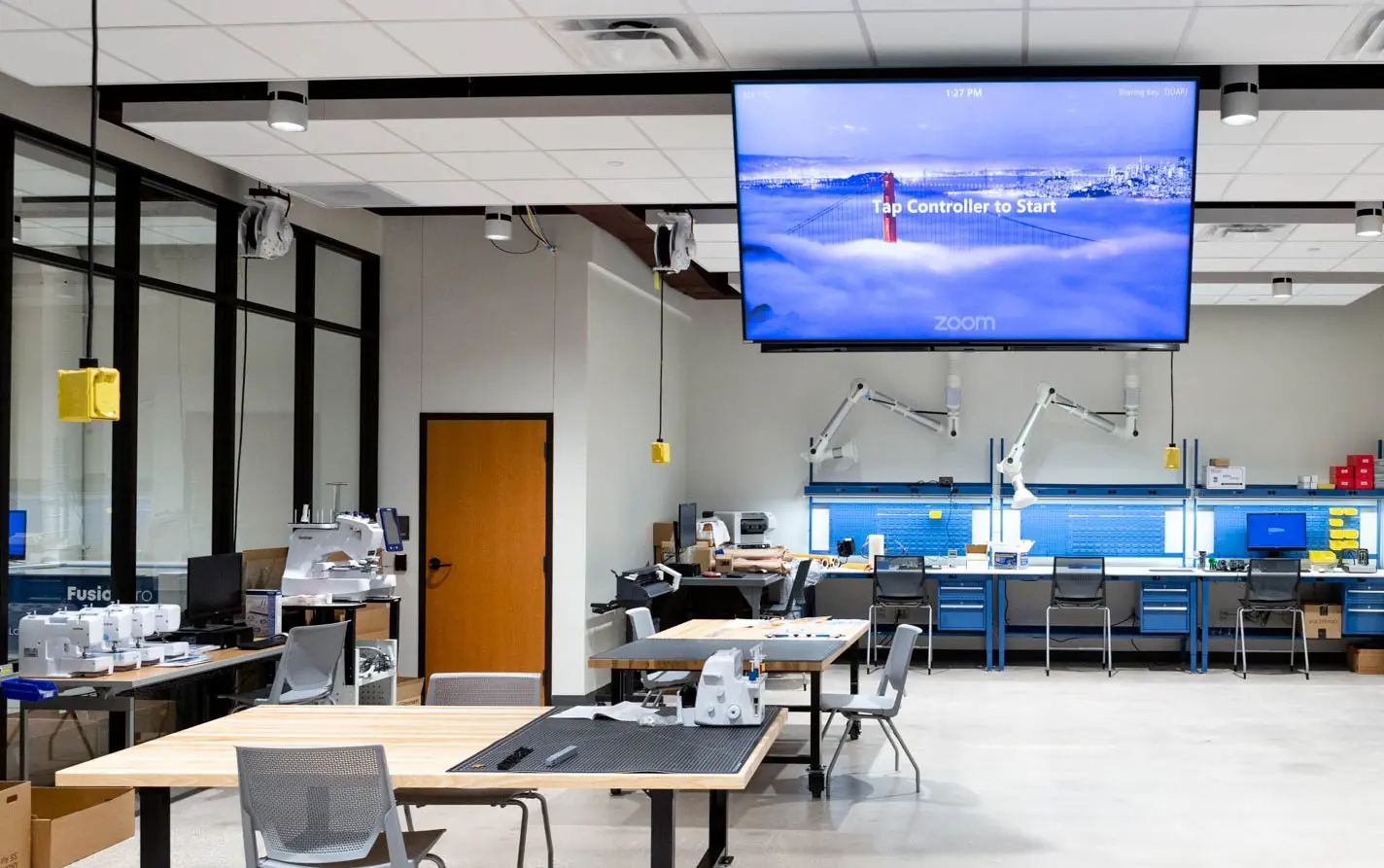
The MakerSpace is a fabrication shop where you can create almost anything. Learn how to use digital fabrication tools to create physical objects in new ways. We have 3D printers, laser cutters, electronics workbenches, embroidery and sewing machines, and even a waterjet that can cut ANYTHING. The only cost to you is the cost of material that you use, and there is never a charge for time.
You must schedule training in advance prior to using equipment for the first time. Use Training Schedule & Booking link below.
Phone: 512-245-1753
Equipment Available
All equipment is available for use by University Student, Faculty, and Staff on a first come first served basis. The majority of the equipment requires training prior to first time use, please reference what is available and requires training below.
Training Required
All equipment in this section requires training prior to first time use.
3D Printers
Cutters
Electronics
MicroScribe Digital CMM
Hand Working
No Training Required
All equipment in this section does not require training prior to first time use.
Electronics
(3) Soldering Stations
(3) Benchtop Power Supplies
(3) Multimeters
(5) Raspberry Pi kits
(5) Arduino kits
Hand working
6” disc/belt sander
Hydraulic press w/bender
Small metal/wood bandsaw
Drill press
Acrylic heat bender
1.5" Button Maker
Substrate Cutter (Fletcher 3100)
Fibers
Painting/Finishing
Spraybooth
Devilbiss DAGR Gravity Airbrush
(2) Paint guns
Dashboards
Equipment status and usage information
Template Files
Frequently Asked Questions
-
Do I need to make a reservation to use equipment?
No you do not need to make a reservation to use equipment. All Alkek One MakerSpace equipment is available on a first come first served basis.
-
How do I get trained?
First sign up for training via the link at the top of the page. Then come in person at the day and time selected to learn how to use that piece of equipment. After that you can use the equipment anytime the MakerSpace is open.
-
Does training ever expire?
No, the training and authorization will never expire once completed. You will continue to have access to the equipment as long as your netid is active.
-
Does using equipment cost money?
No, the use of the equipment is completely free. However you will need to pay for any materials that you use. If you bring in your own materials, then there is no charge.
-
How far in advance can I sign up for training?
We only schedule up to 7 days in advance using our training booking system. If you would like to schedule something further in the future, please Contact Us with your weekly availabilty past 7 days from now as well as the equipment you would like to get trained on.
-
Can I get trained with my friend or a group?
Almost all of our trainings are 1:1 and not designed for multiple people at one time. If you would like to request a group training, please Contact Us.
Rules of Operation and Safety Regulations
Before using the MakerSpace, you must read the Rules of Operation and Safety Guidelines.
-
Rules of Operation
- Patrons must attend specific trainings prior to using the MakerSpace and any equipment therein.
- Patrons must check out equipment from MakerSpace Staff prior to use.
- Patrons must surrender TXSTATE ID to MakerSpace Staff to check out equipment.
- Patrons may only check out one piece of equipment at one time.
- Patrons can only use hand tools within the MakerSpace.
- Patrons must pay for consumable materials prior to leaving the MakerSpace.
- Patrons cannot create any weapons, parts of weapons, or weapon-like items.
- Patrons cannot create any items for malicious intent.
- Patrons cannot use MakerSpace equipment to manufacture or mass produce items for resale.
- Patrons must abide by all University Libraries and Texas State University Policies as well as local, state, and federal laws where applicable.
-
Safety Regulations
- ALWAYS ask for assistance when needed.
- Closed toed shoes are REQUIRED at all times.
- Safety glasses are REQUIRED in 102A around designated equipment.
- NEVER leave a piece of equipment unattended while in use.
- ALWAYS power down equipment after use.
- REMOVE all jewelry, SECURE loose-fitting clothing, and TIE BACK long hair while using equipment.
- NO open food or drink allowed.
- REPORT any broken or misplaced equipment and tools to MakerSpace Staff.
- IMMEDIATELY REPORT any accidents or injuries to MakerSpace Staff or Library Staff. Call 911 if needed.